Products Solutions Support Store ORB News Community Download Company Info Contact Info

 Main
Product Info
Product Details
Gallery
Support & Resources
Usage & Distribution
Purchase & Downloads
Futuremark » Products » 3DMark06 » The Tests

3DMark06 Advanced & Professional Edition Tests

The next generation in 3D benchmarking

With either 3DMark06 Advanced or 3DMark06 Professional, you'll get the most comprehensive suite of next generation 3D gaming benchmarking tools! All tests, all settings and all options needed to run accurate, repeatable and dependable performance analysis are included in one, easy to run, easy to understand, yet incredibly powerful application. Here's a description of all the tests & tools you'll have access to with 3DMark06:

3DMark06 Graphics Tests

  • SM2.0 Graphics Test 1: Return to Proxycon
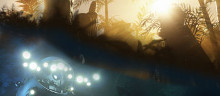
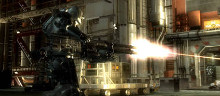
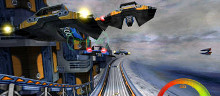
    Using our updated game engine, this 3rd person shooter emulation makes use of very complex SM2.0 shaders. Large interior spaces accommodate more characters for lots of action. With 26 total lights, 2 are directional with one casting CSM (Cascading Shadow Maps), 12 point lights provide fill, most cast shadows using 1024x1924x6 cube depth maps and hardware shadows, some are masked and animated, and finally 12 small spot lights with non-overlapping shadow-maps produce a richly lit and shadowed game scene. Blinn-Phong reflections using lookups are applied to the ship surfaces. A short version of the scene is used in the test, with the full version available in the Demo.
  • SM2.0 Graphics Test 2 - Firefly Forest
    Again, our updated game engine plays critically in this SM2.0 shader rich fantasy game scene. The large outdoor scene is dense with vegetation and grass is dynamically distributed and altered according to the camera's location. Surrounded by a skybox, multiple glowing, illuminated fireflies flit about among animated trees, branches and leaves. This test dramatically highlights the benefits of Cascading Shadow Maps and high resolution shadow-mapped point lights. The scene is lit with 1 directional light casting CSM to create a moonlight effect. The 2 illuminated fireflies are shadow-mapped point lights with cube-map masks. A procedural light scattering shader is used for the humid night time sky. Materials have Blinn-Phong reflections using lookups for materials. The ground material has diffuse, diffuse detail, normal and normal details maps added. Rock surfaces have an added specular map. Tree branches are similar to the rock materials but with an added diffuse cube map and no specular or bump map. A short version of the scene is used in the test, with the full version available in the Demo.
  • HDR/SM3.0 Graphics Test 1 - Canyon Flight
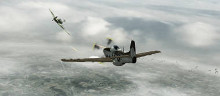
    The updated game engine supports extremely complex SM3.0 shaders in this test for exquisite HDR (High Dynamic Range) rendering effects, as well, highlighting the benefit of dynamic shadows. This period style adventure game scene makes extensive use of smooth shadows. A massively complex outdoor canyon and seascape is rendered in very realistic HDR using floating point calculations. Sky and atmospheric effects rely on a complex atmospheric light scattering algorithm with cloud blending; adding great depth to distant scene elements. A heterogeneous fog effect creates deep humidity throughout the canyon. Water material is a further developed 3DMark05 water shader. Water effects are recreated using HDR reflections and refractions, plus a depth fog is used below the surface, and the water surface is distorted with 2 scrolling maps and Gerstner wave functions. Smoke and fire particle effects emanate from the airship. Subsurface scattering and a Blinn-Phong shading model with 2 normal maps and 1 color map are used for the sea-monster. Strauss shading is used for the captain, crew and airship. The canyon wall material uses 3 color maps, 3 normal maps and Lambertian diffuse shading. One directional light, casting CSM is used to create the bright sunlight, producing dramatic dynamic shadows, while showcasing the challenging effect of dynamic shadows on large round shapes. A short version of the scene is used in the test, with the full version available in the Demo.
  • HDR/SM3.0 Graphics Test 2 - Deep Freeze
    With HDR rendering and SM3.0 shaders, this test emulates a movie-like horror adventure scene and showcases CSM with dynamic long, soft shadows for a striking daytime to nighttime transition. As the sun sets, shadows dynamically increase in length for a very realistic effect. For the snow storm, heterogeneous fog and particles with an added diffuse cube map are used. A simple atmospheric light scattering algorithm is used for the sky. A Blinn-Phong shader with 2 normal maps, 1 color map and subsurface scattering is used for the snow material. Metallic and other surfaces use the Strauss shading model. 1 directional light casting CSM recreates the sunlight. By blending 2 pairs of cube-maps, (1 diffuse, 1 specular) and ambient effect is created. HDR values requiring floating point rendering hover to approximately 11.000. A short version of the scene is used in the test, with the full version available in the Demo.

3DMark06 CPU Tests

  • CPU Tests - Red Valley (requires full SM2.0 support or better)
    Both CPU tests use our new game engine, and rely on AI, physics and game logic to generate a multi-threaded workload that can be distributed on multiple processors, cores or even on a single processor. Ageia PhysX library and D* Lite path finding AI algorithm are produce demanding CPU loads. Tests are run in a fixed frame rate of 2FPS for more equal CPU loading. Resolution is locked to 640x480 to decrease GFX influence of performance. The shader profile is locked to 2_0 and no dynamic shadows are used. The D* Lite AI algorithm generates unit path requests in a dynamic path finding grid, where each unit represents a moving obstacle, and paths sync back at 200ms-600ms intervals. The complexity of the path request fulfillment varies; the dynamic re-planning algorithm can re-use the state of previous searches. The Ageia physics uses 87 units and their rigid bodies at 20ms physics steps. Professional reviewers can disable a second CPU or other core of either a virtual or physical dual core system for comparable results regardless of the number of cores or CPUs.
    CPU Test 1
    The test uses a high level of path finding complexity, tight AI synchronization intervals over 40 frames, locked to fixed frame rate of 2FPS with a Shader Profile of 2_0 and a resolution of 640x480.
    CPU Test 2
    The test uses a lower level of path finding complexity, lax AI synchronization intervals over 60 frames, locked to a fixed frame rate of 2FPS with a Shader Profile of 2_0 and a resolution of 640x480.

3DMark06 Feature Tests

  • Feature test - Fill Rate (Single-Texturing)
    This test works just like in 3DMark05. The size of the texture used is 2x2 in order to decrease bandwidth limitation of the performance. 64 quads cover the screen and are single textured and additively blended.
  • Feature test - Fill Rate (Multi-Texturing)
    This test works just like in 3DMark05. The size of the texture used is 2x2 in order to decrease bandwidth limitation of the performance. 8 quads cover the screen and each quad has 8 textures additively blended.
  • Feature test - Pixel Shader
    One of the more complex materials in the graphics tests is the rock face shader. This is separated to a feature test, showing the lighting change on the rough surface. There are no dynamic shadows, which makes some space for additional instructions compared to the similar shader in Canyon Flight. There is also no water surface, just the rock face. Filling the screen with a rock face is naturally fairly fast, compared to the graphics test showing huge amounts of that rock face in addition to water, the air ship and sea monster. This test will be somewhat bandwidth dependent, since any game like material with a complex shader like this will also have a number of lookups to large textures. It seems like most PC games will mainly utilize to normal color maps that have been made during development, instead of burdening the pixel shader with creating procedural textures.
  • Feature test - Vertex Shader (Simple)
    This test does simple transformation and single light lighting on four high polygon sea monster models. Each sea monster has over one million vertices to transform and illuminate, so the total workload is quite substantial. The vertex shader used here could quite well fit into a shader model 1 vertex shader, but since 3DMark06 still uses SM2.0 and offers different SM2.0 (and SM3.0) profiles to choose from, the shader is declared in HLSL as SM2.0
  • Feature Test - Vertex Shader (Complex)
    This illuminates, but above all transforms a large number of grass straws. Each straw is skinned and bent separately, more towards the tip of the straw, like real grass straws waving in the wind. The straws are waved according to a fractal noise calculated on the CPU, but it is highly optimized to decrease the influence of the CPU performance on the measurement. The grass is kept at a distance from the camera, offering a less interesting visual effect, but this is necessary to decrease the influence of fill rate to the measurement.

3DMark06 SM3.0 Feature Tests

  • Shader Particles
    This test runs simple particle physics in the pixel shader and then uses the results through vertex texture fetches. The use of graphics hardware for physics computations in games is increasing. Simple physics computations are inherently parallelizable, which allows them to be implemented on graphics hardware fairly effortlessly. As a result a game developer is able to use far more particles than would be feasible on a CPU while the CPU becomes free to perform other computations. This test requires SM3.0 with hardware Vertex Texture Fetch (VTF) support.
  • Perlin Noise
    This test computes six octaves of 3-dimensional Perlin simplex noise using a combination of arithmetic instructions and texture lookups. Perlin noise is a basic building block in many procedural texturing and modeling techniques, which are expected to increase in popularity in future games due to both reduced memory and bandwidth requirements as well as the increasing computation power in graphics hardware. This test requires SM3.0.

3DMark06 Batch Size Tests

  • The batch size tests basically render a very simple scene that is un-optimized, revealing a weakness in most graphics drivers available today. Graphics IHV's have for years educated game developers to render as large batches as possible. However, it would be beneficial if the rendering of smaller batches were to be optimized too. There are six runs of this test, where 128 meshes of 128x128 quads are draw with 8, 32, 128, 512, 2048 and 32768 triangles per batch. The last two batch sizes should be considered optimized sizes for most drivers today, but the smaller the batch sizes get, the slower the rendering will be. Color change state changes are done between the rendering batches to make sure DX doesn't collapse the whole rendering into a single or very few batches. Early versions of this test without the state changes caused this, and gave quite obscure results. The test therefore also is somewhat dependent on how fast the driver does rendering state changes.

3DMark06 Advanced & Professional Edition Tools

  • Pro Tool - Pro Online ResultBrowser
    The Pro-Online ResultBrowser is designed and developed exclusively for 3DMark06 Advanced and Professional users. In addition to the normal comparison functionalities you can do multi-comparisons, CPU / GFX chipset comparisons, get detailed system info and much more. The Pro-ORB extends 3DMark06 Advanced and Professional Editions to the extreme!
  • Pro Tool - Image Quality Tool
    The Image Quality functionality helps taking screenshots of the tests in 3DMark05 for image quality comparison. Any frame from the benchmark tests can be selected, and that precisely same frame can be rendered on other systems for comparison, or using the DirectX reference rasterizer, for reference renderings. Take one or any number of screenshots and compare the rendering quality using your favorite Image Composer software.
  • Pro Tool - Filtering & AntiAliasing Quality Tool
    The Texture Filtering and Anti-Aliasing test shows a 3D scene that highlights texture filtering artifacts and imperfections. You can move back and forth, and rotate the tunnel with the arrow keys. You can also change the texture filtering settings at run-time. The run-time keys are displayed, so go ahead and try different combinations of settings. Remember that your graphics hardware might not support all implemented filtering settings. This test is also useful for anti-aliasing quality testing.
  • Pro Tool - Graph Tool
    The Graphs tool records per frame runtime statistics of a selected game tests with selected settings, and draws a MS Excel graph of the recorded data. The available settings are the same as those available in Benchmark Settings, but you can additionally select which test to run and what statistics to record. All three game tests are available for collecting per frame runtime statistics.
  • Pro Tool - Batch Run
    Batch Run has an easy to use wizard for choosing the batch run settings. For example, you can let your PC run through all tests on all resolutions and with all rendering pipelines. It can all be done in one single batch run. This is only available in the Professional Edition of 3DMark06.

Professional Edition Extras

  • Extras- Playable Mini-Game
    The Red Valley CPU Test is a fully playable mini game with multithreaded AI and physics, and is only found in Advanced and Professional Versions of 3DMark06. Instructions for game play controls are located in the 3DMark06 Help file. Upload your high score to the Pro-ORB Game Hall of Fame and compare your mad game skills to other pro users!
  • Extras- Demo
    Clicking the DEMO button in the main window opens the Demo Settings dialog. Select the resolution, anti-aliasing level, filtering mode and shader profiles you want. You can disable the sounds and enable looping, if you want the demo to run continuously. Please read more about these settings in the 3DMark06 Help file.
    The Free Basic Edition of 3DMark06 can only run the first demo part using default settings. 3DMark06 Advanced cannot loop the demo, and may not be used for commercial purposes, including displaying the demo at trade shows, in stores, or for any other commercial purpose. The Professional Edition is the only version of 3DMark06 licensed for commercial use of any kind.
  • Extras- Pro Discussion Board
    The 3DMark06 Advanced or 3DMark06 Professional users have a dedicated Pro Board, where only the professional benchmarkers hang out!


You may purchase 3DMark06 Advanced Edition and Professional Edition from our Online Store.


Privacy Statement Legal Advertise With Us Press Room Benchmark Development Program Partnerships Contact Info